From address to branded CMA in about 30 seconds
No sign-up, no card. Your first report is free.
QUICK GUIDE
- 1Type the address
Any Australian address. We pull the property, sales history and estimate from Stash.
- 2Pick a report
CMA today. Pre-appraisal kits and campaign reviews are coming.
- 3Add your work email
We find your agency website and pull your logo and colours.
- 4Wait about 30 seconds
Comparable sales, price range and commentary, laid out in your branding.
- 5Send it to the vendor
Download the PDF or share the live link. You see when they open it.
FULL STEP BY STEP
- STEP 1
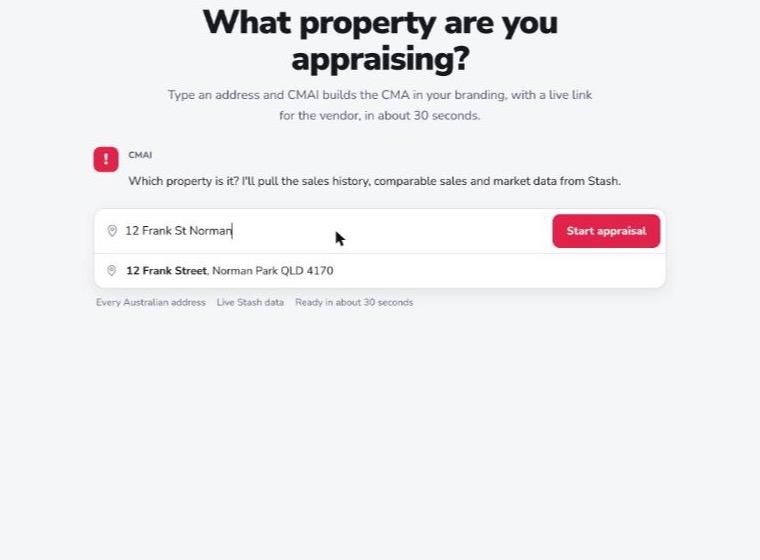
Type the property address
Start typing and pick the address from the list. Every Australian address is covered.
Your last 10 addresses are saved in this browser, so repeat appraisals are one click.
- STEP 2
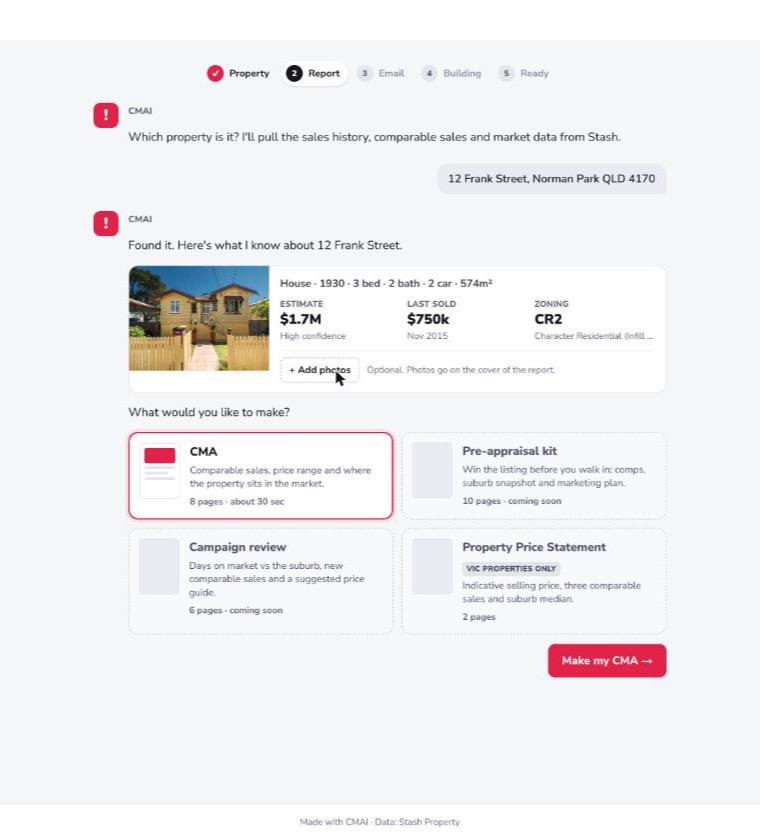
Check the property and pick a report
CMAI shows what Stash knows: type, year built, beds, baths, cars, land, the Stash estimate, last sale and zoning.
Add your own photos if you like. They go on the cover. Then choose the CMA.
- STEP 3
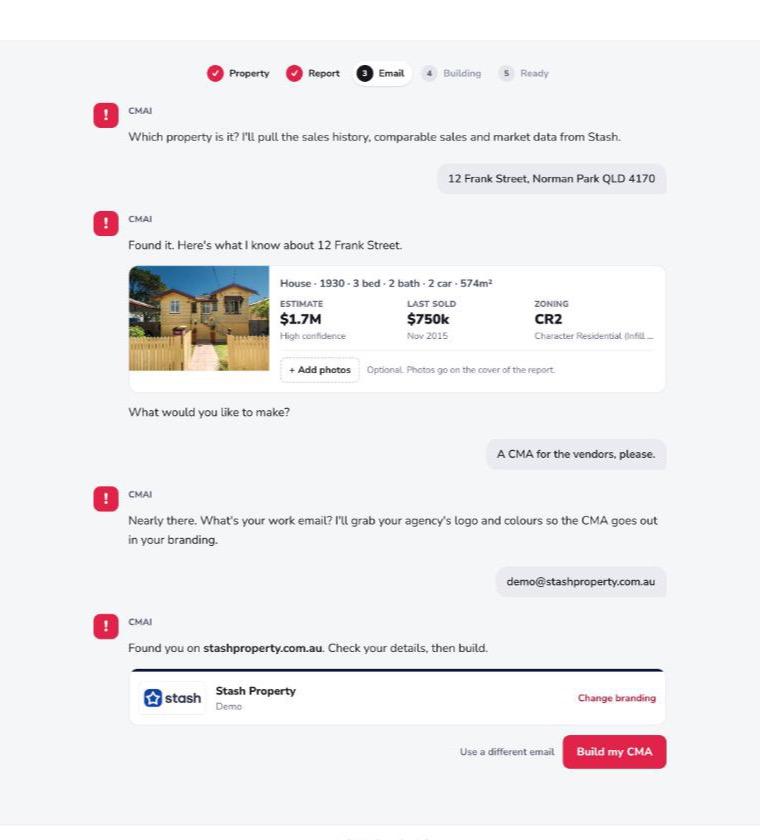
Add your work email
Use your agency email. Personal addresses like Gmail or Outlook are not accepted, because your branding comes from your agency website.
CMAI finds your logo, colours and agency name. Use Change branding to fix anything, add your name and mobile, or upload a different logo.
- STEP 4
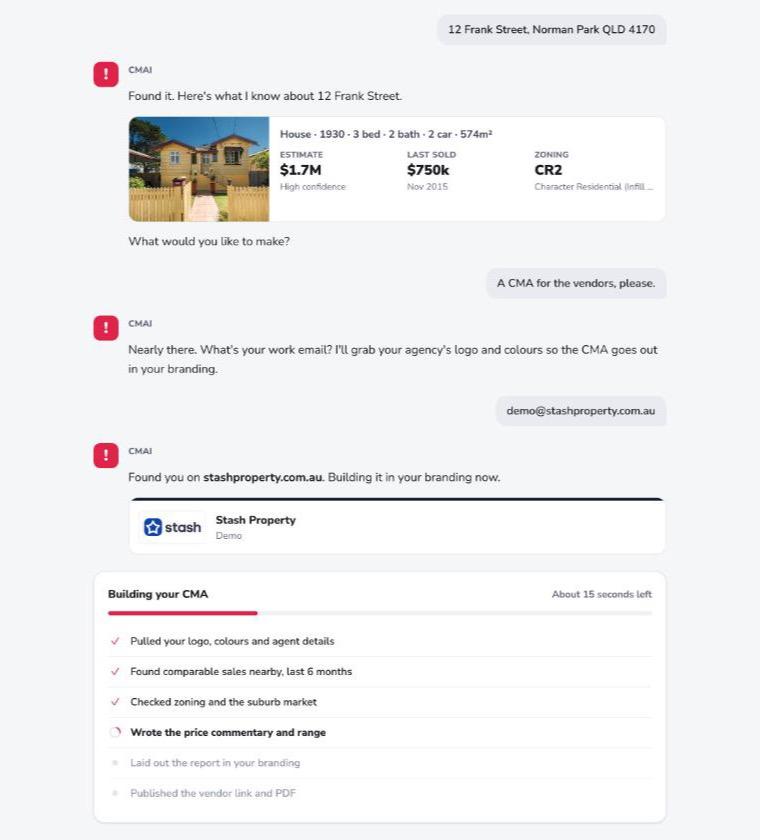
CMAI builds the report
It finds recent comparable sales within 1 km (1.5 km if the area is quiet), scores each one against the property, checks the suburb market, and writes the commentary.
Most reports are ready in under 30 seconds.
- STEP 5
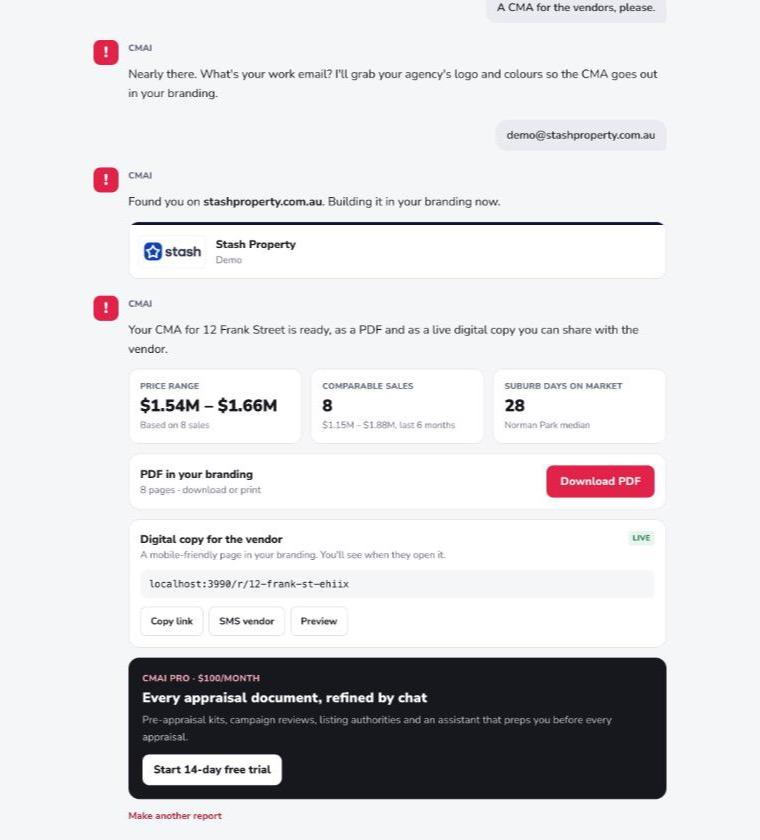
Your CMA is ready
You get the suggested price range, how many sales it is based on, and suburb days on market at a glance.
Download the 8-page PDF, or copy the vendor link, SMS it, or preview it first.
- STEP 6
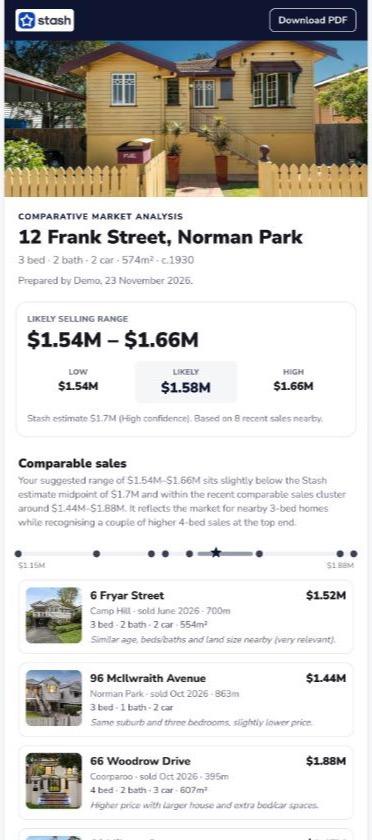
The vendor opens a live, branded page
The vendor link works on any phone. It shows the likely selling range, each comparable sale with why it was chosen, and your contact buttons.
Every open is logged, so you know when to call.
- STEP 7
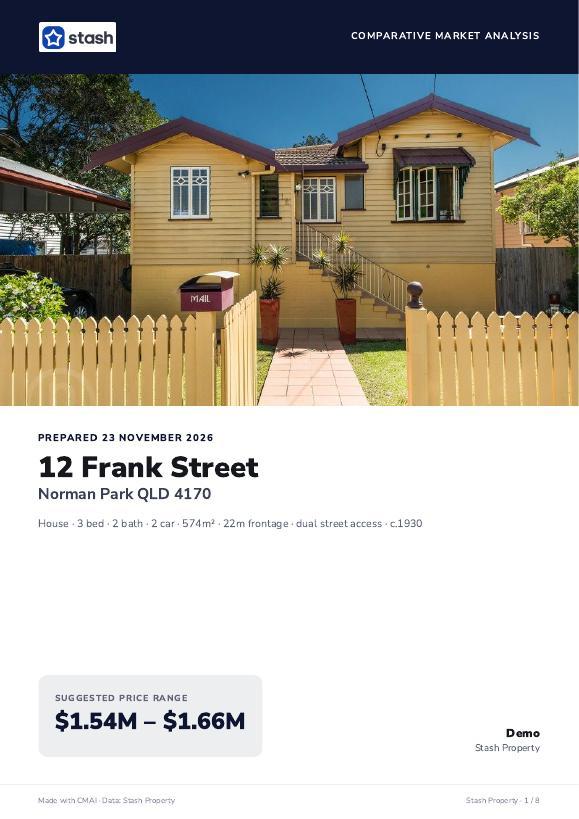
The PDF, in your branding
Eight A4 pages: cover with your price range, the property, your competition, the suburb market, comparable sales with a price position bar, how the evidence is weighted, your appraisal, and the live link.
Every page carries your logo and colours. Footer: Made with CMAI · Data: Stash Property.
Appraising every week?
CMAI Pro gives you unlimited reports, chat to refine them, and every document for the appraisal and the listing as they roll out.